WooCommerce → FluentCart · A Mota Labs plugin
Move your store to FluentCart without losing a single order.
Products, orders, customers and subscriptions migrate directly into FluentCart's native tables. No CSV exports, no broken renewals, no weekend lost to cleanup.
Runs on any WordPress + PHP 8 site. Zero emails sent. Zero Stripe exposure during migration.
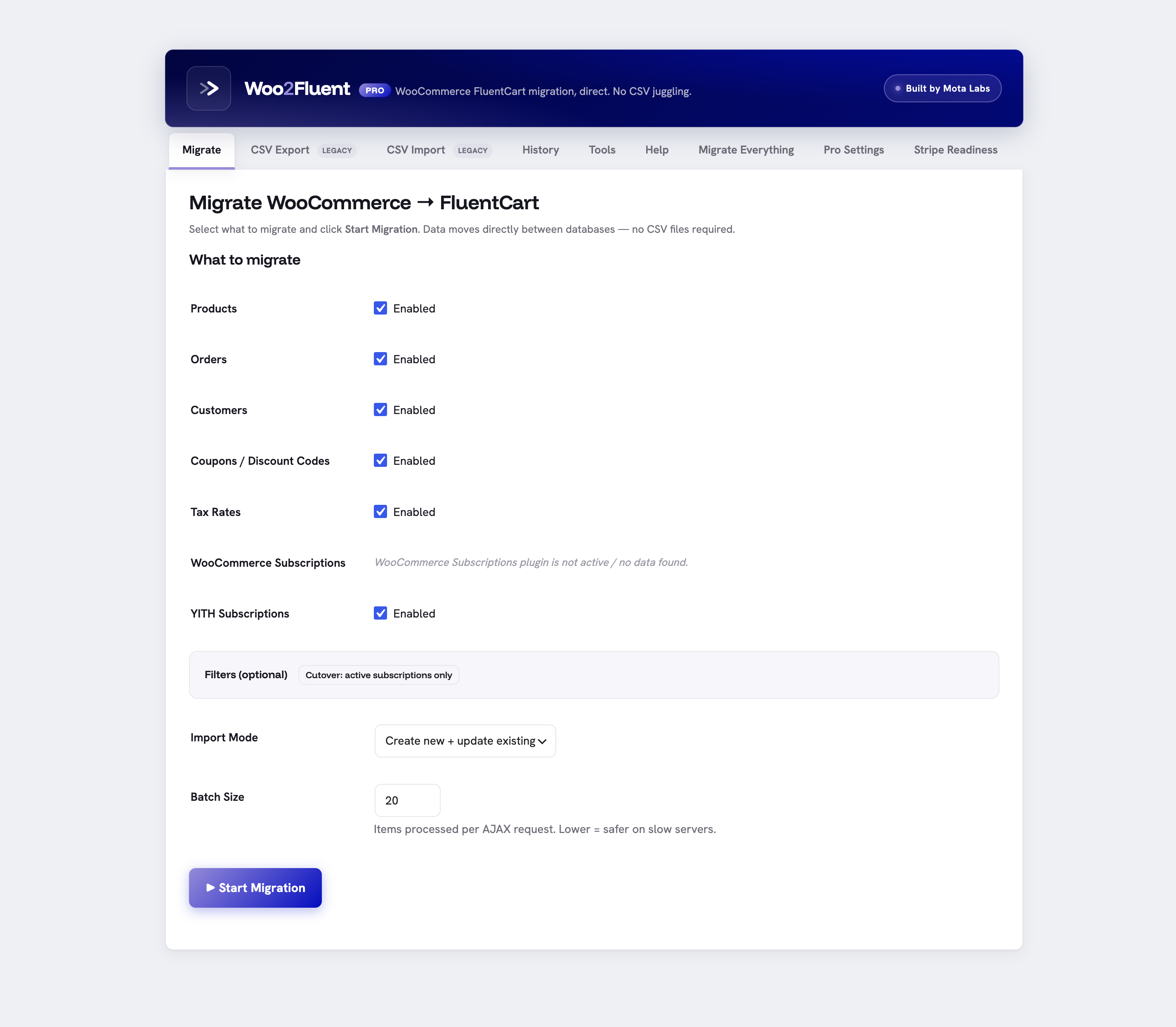
Switching to FluentCart shouldn't cost you your order history.
The usual path is a CSV export, a broken import, subscriptions that stop charging, and a support thread that runs for weeks. This does the move directly, into the tables FluentCart actually reads.
CSV exports and crossed fingers
- Customer and order records land as hidden custom posts, invisible in FluentCart admin
- Subscription renewal IDs get orphaned, so Stripe can't collect
- Images, variations and tax rates drop silently on import
- You find out what broke when a renewal fails in week two
Native, direct, verifiable
- Orders, customers and subs write to FluentCart's real fct_ tables and show up in admin
- Stripe customer references travel with each subscription, intact
- Variations, images and tax migrate with full audit logging
- A readiness check tells you renewals will charge before you go live
Everything in your store, into the right tables.
Free covers the core data, direct to FluentCart. Pro adds the entities and checks that make a cutover safe.
Know your renewals will charge before you go live.
The Stripe readiness check reads FluentCart's own Stripe connection and verifies every migrated customer reference resolves, with a payment method still attached. Read-only, no charges, no writes. The classic cutover failure shows up as a clear list of broken references, not as failed renewals in week two.
- Confirms each cus_ exists in the connected account
- Flags references with no default payment method
- Surfaces test/live mismatches and renewals due near cutover
- Exits non-zero on the CLI, so a deploy script can gate go-live
Three steps, then FluentCart is your store.
Install on both
Activate WooCommerce, FluentCart and Woo2Fluent on the same site. Cross-server? Use the built-in CSV path instead.
Pick and filter
Choose what to migrate. Use the cutover preset for active subscriptions, or narrow orders and products by status and date.
Migrate natively
Click migrate. Data lands in FluentCart's native tables, deduped and idempotent. Re-run safely any time.
Start free. Upgrade when you need subscriptions and the safety net.
- Products, variations and images
- Orders and customers into native tables
- Batch processing with live progress
- CSV export and import
- Dry-run mode and audit log
- WP-CLI runner
- Everything in Free
- Migration filters and cutover presets
- Stripe readiness check
- WooCommerce + YITH subscriptions
- Coupons and tax rates
- One-click Migrate Everything
- Lifetime updates, 12 months priority support
Prices in USD. Pro is not on sale yet, join the list and you will be first to know. The free plugin is available right now.
The questions every store owner asks first.
Do I need WooCommerce and FluentCart on the same site? +
Will it overwrite my existing FluentCart data? +
Does migration send emails or charge cards? +
What happens to my subscriptions and renewals? +
Is the readiness check safe to run? +
GET /customers on each migrated reference. It never charges, never creates, never writes to Stripe, and never stores the key.Will it run on my hosting? +
Move your store this afternoon, not this quarter.
Start with the free download. Upgrade to Pro when you are ready to bring subscriptions across and verify your renewals.